Orbit Watchdog
Watches your databases and websites, and brings them back before your clients notice.
Overview
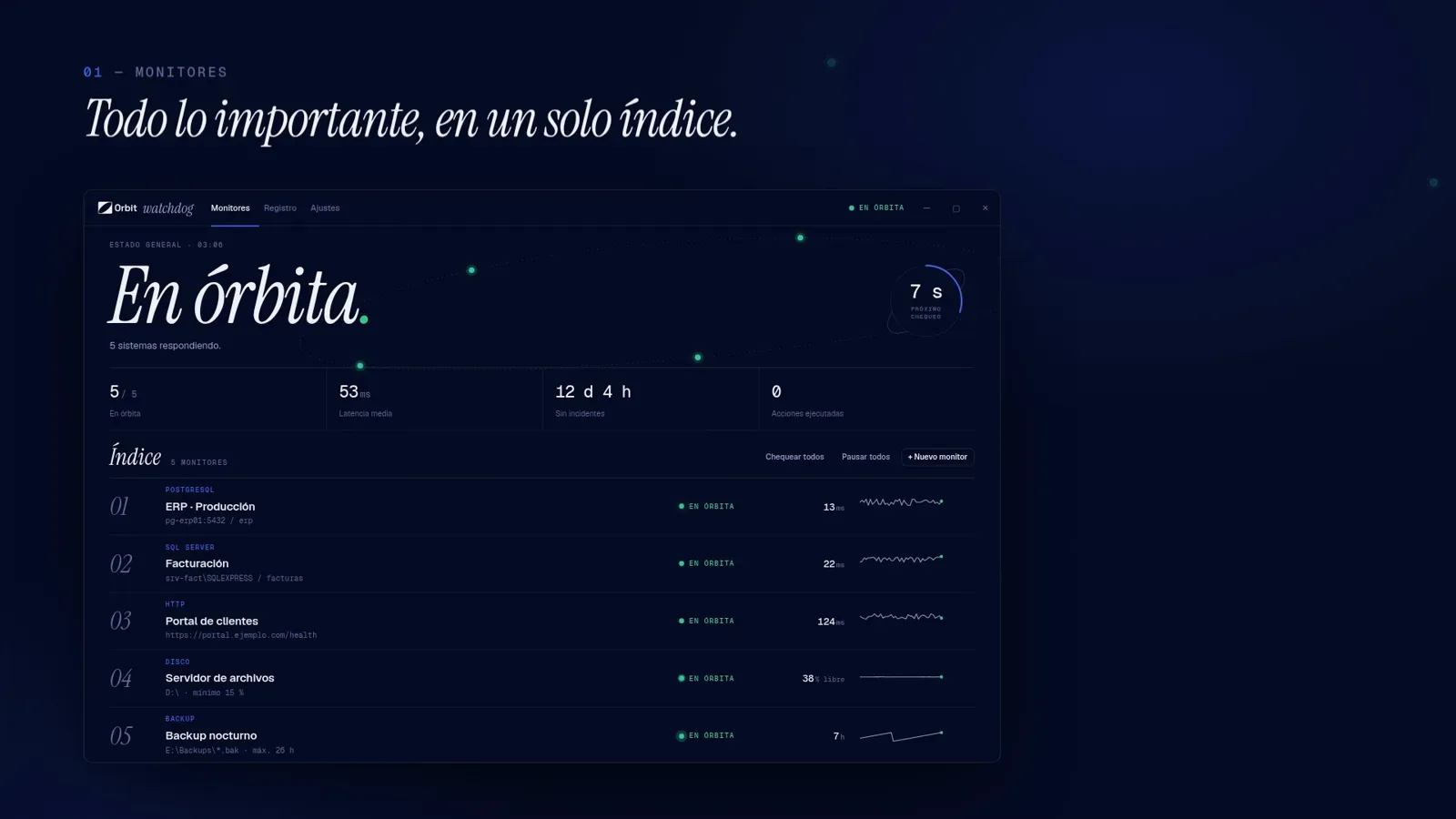
Orbit Watchdog is a Windows app I built with Electron and Node.js. It watches PostgreSQL, SQL Server, websites, disk space and backups. When something stops responding it retries, restarts the service and checks that it actually came back, and if it can't fix it, it tells the team.
The problem
At Orbit, where I work as a developer, we had a problem that kept coming back. Postgres would go down and we had no way of knowing. Hours went by before anyone noticed, and it was almost always because a client called to tell us something wasn't working. Over time I realized it wasn't just us. A lot of people who maintain servers live with the same thing.
What I built
I started with a small tray app that watched a single PostgreSQL database and restarted its service when it stopped answering. From there it grew into a full monitor. Each system is a monitor with its own check: a query for PostgreSQL and SQL Server, status code, expected text and latency for websites, free space for disks and the age of the last file for backups. When a monitor runs out of retries it can restart a Windows service, run a custom command or just alert. Alerts go out by email and through webhooks to Microsoft Teams, Slack, Google Chat and Discord. Every monitor keeps an hourly uptime history, and the app generates PDF reports with PDFKit that can be sent automatically by email every month.
Highlights
- Five monitor types: PostgreSQL, SQL Server, HTTP, disk space and backups
- No limit on monitors: it watches as many services as you configure
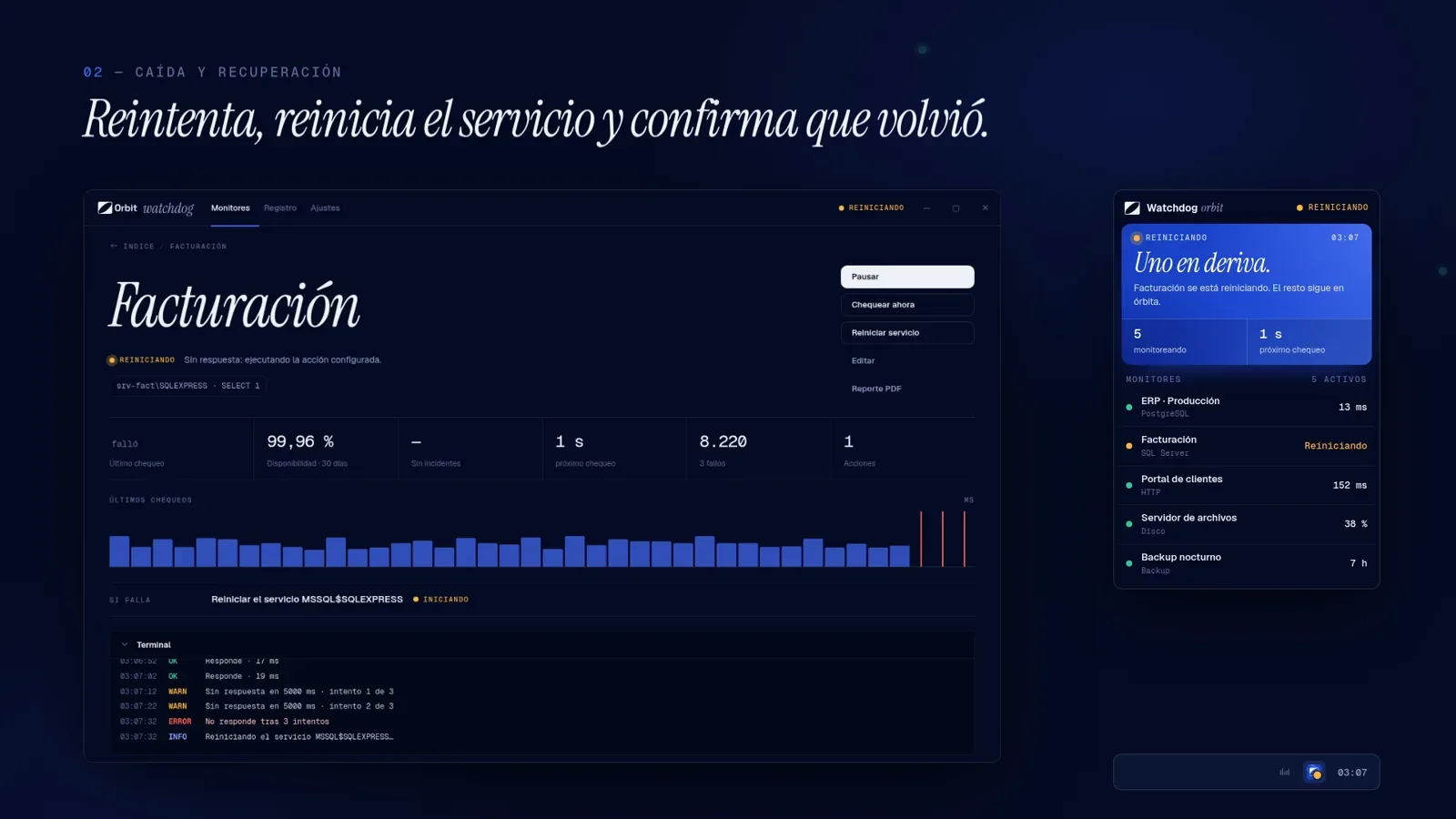
- Self-healing flow: retry, restart the service or run a command, then confirm it's back
- Restart brake: after 3 automatic actions in an hour it stops and flags the monitor for a human
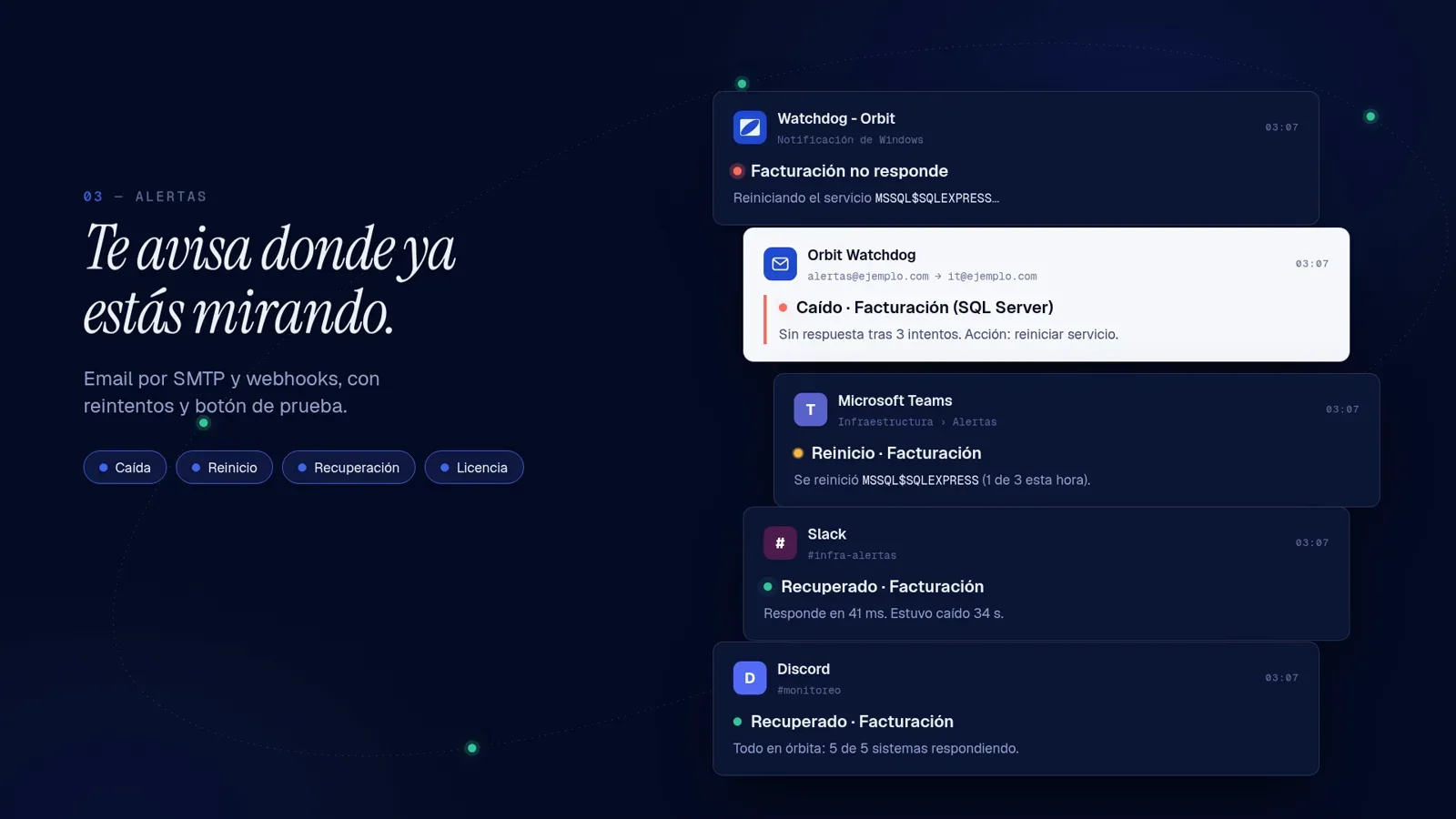
- Alerts by email with Nodemailer and webhooks for Teams, Slack, Google Chat and Discord
- Hourly uptime history and PDF reports by month or custom date range
Challenges
Restarting services needs admin rights
Restarting a Windows service is not something any program can do. A desktop app running under a normal user session simply wasn't allowed to fix the thing it had just detected.
Not watching when it mattered most
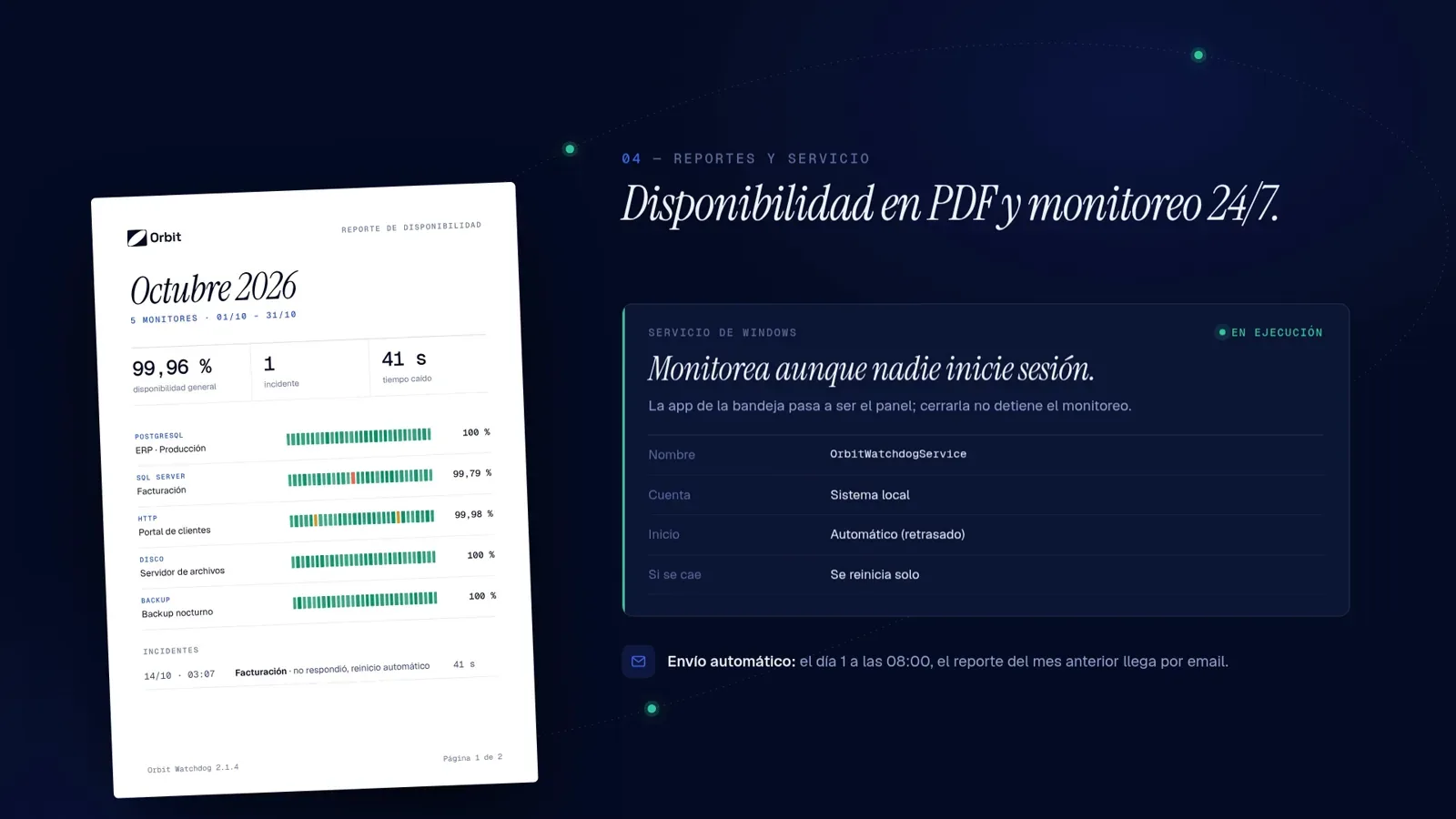
This one showed up in practice. When the server rebooted, the app didn't start until someone logged in, which meant that right after a restart, the riskiest moment, nothing was watching. I solved both problems the same way: the monitoring engine now runs as a Windows service. It starts with the server, runs with the permissions it needs and keeps working with nobody logged in.
One core, two ways to run it
To get there I split the monitoring core from the interface, so the exact same Node.js code runs inside the Electron app or on its own as a service. The desktop app became the control panel and talks to the service through a channel only administrators can use. Closing the app no longer stops the monitoring.
Gallery
Results
- Monitoring now starts with the server and keeps running with no one logged in
- Running 24/7 in production at Orbit, catching an outage within one check interval (1 minute by default)
Have a project or a role in mind?
Let's talkNext project
Desktop app (Electron) + image server
Autoservice Totem Manager
Electron app to manage products, prices and images on 150+ self-service kiosk terminals in Uruguay.